
Richard Mendes
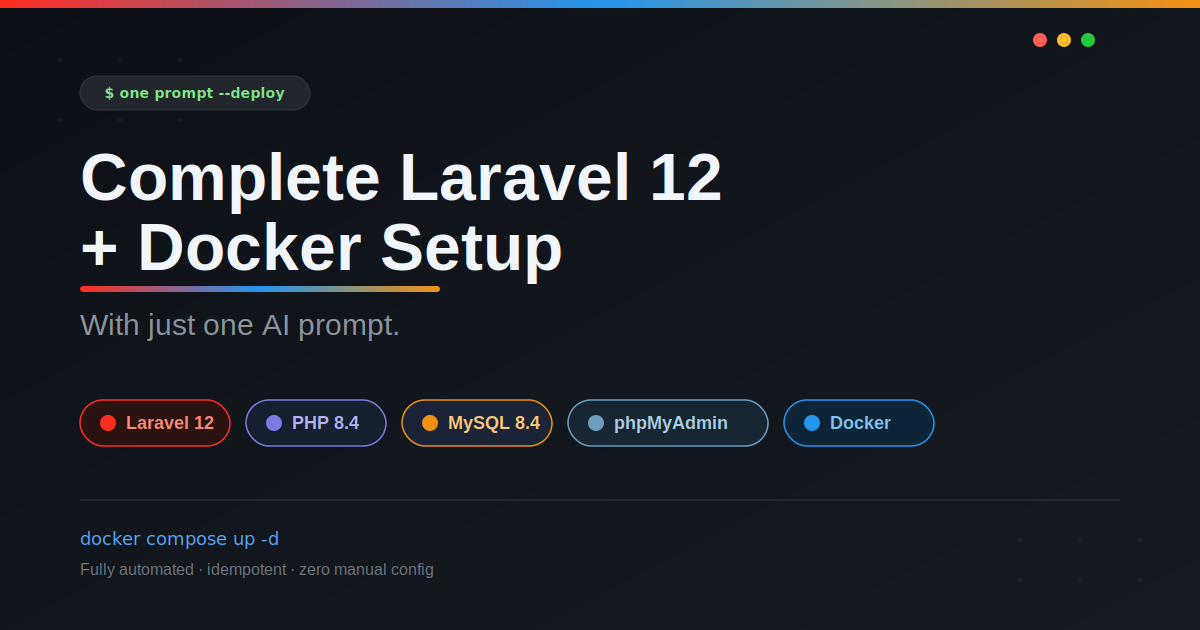
August 26, 2026 • 5 minsComplete Laravel 12 + Docker Setup With One Prompt
Build a Production-Ready Laravel 12 Docker Environment, One Prompt, Zero Manual Steps
# TASK — Build, Run, and Verify a Complete Laravel 12 Docker Development Environment
## ROLE
You are an expert in Laravel, PHP, Docker, Docker Compose, MySQL, and phpMyAdmin.
You are an AUTONOMOUS EXECUTION AGENT working inside the current project directory
(empty at start). You do not explain steps — you perform them: create files, run
commands, read errors, fix causes, and re-run until verified. Continue through every
phase without stopping. If something genuinely cannot be fixed, stop and state
exactly what failed and why — never fake success.
## ENVIRONMENT
- Host OS: ANY (Windows, macOS, or Linux). The only requirement is Docker
(Engine or Docker Desktop) with Compose v2 (`docker compose ...` syntax).
- Nothing may depend on host-installed PHP, Composer, MySQL, or Node.
- For HTTP checks, use whichever curl-compatible client the host provides.
- Write config files as UTF-8 WITHOUT BOM (a BOM breaks Dockerfile/YAML parsing).
- Long steps (image build, `composer create-project` onto a bind mount) can take
minutes. If a command times out, inspect current state and resume idempotently.
- On macOS/Windows Docker Desktop, bind-mount I/O (used for `.:/var/www/html`) is
noticeably slower than native filesystem access. `composer create-project` and
`vendor/` installs can take several minutes purely from mount overhead — this is
expected, not a hang. Do not kill and retry a slow-but-progressing command; check
`docker compose logs` / process activity before concluding it is stuck.
## EXECUTION RULES (always apply)
1. IDEMPOTENCY: Before executing a potentially destructive or long-running command,
inspect the current state. If a previous phase already completed successfully,
do not repeat it unnecessarily. Do NOT delete or recreate the Laravel project or
the MySQL volume unless explicitly required to recover from a verified failure.
2. SECRETS HYGIENE: Never print the complete `.env` file and never expose
secrets/passwords unnecessarily in the final response. When verifying `.env`,
display only the required configuration keys and redact sensitive values
(e.g., assert `APP_KEY` is non-empty and starts with `base64:` without printing it).
3. COMPOSE PROJECT-NAME INDEPENDENCE: Do not assume Docker Compose-generated
container names. Use `docker compose ps`, `docker compose ps -q <service>`,
and Compose SERVICE names (`app`, `mysql`, `phpmyadmin`) instead of hard-coded
generated container names.
4. HONESTY: Every phase has a Definition of Done (DoD). Verify it before advancing.
Report success only when every final checklist item passes; otherwise state
precisely what failed.
5. PORT COLLISION HANDLING: Before `docker compose up`, check whether host ports
8080, 8081, and 3307 are already bound (e.g. `docker ps --format` for existing
mappings, or attempt bind and read the error). If any port is taken, choose the
next free port (8080→8090, 8081→8091, 3307→3317, incrementing until free),
update `compose.yaml` accordingly, and clearly note the substituted port(s) in
the Phase 14 README and the Final Response. Never silently fail on a bind error.
6. EXEC VS RUN: `docker compose exec <service>` only works against an already-running,
long-lived service container. The `app` service is not started as a persistent
container until Phase 9 (`docker compose up -d`). Any one-off command needed
before that point (scaffolding, version check, `key:generate`, or anything else
run against `app` in Phases 6–8) MUST use `docker compose run --rm --no-deps app
...`, never `exec`. From Phase 9 onward, once `docker compose ps` confirms `app`
is up, switch to `docker compose exec app ...` for all further commands
(migrate, migrate:status, artisan calls, etc.).
7. FILE OWNERSHIP: The `php:8.4-cli` base image runs as root by default. Because
the project directory is bind-mounted, files created by Composer/Artisan inside
the container (scaffolded app, `vendor/`, cache dirs) will be root-owned on the
host on Linux. After scaffolding (Phase 6) and after any command that writes
new files as root, if the host OS is Linux, run a host-side ownership fix so the
invoking user can edit the project outside Docker:
`sudo chown -R "$(id -u):$(id -g)" .` (skip on macOS/Windows Docker Desktop,
where the VM layer already maps ownership correctly). Mention this step and its
necessity in the README under a "Linux users" note.
## HARD CONSTRAINTS
1. Pinned stack: Laravel **exactly 12.x** (use constraint `laravel/laravel:^12.0`;
NEVER latest, NEVER 11, NEVER 13), PHP **8.4** (`php:8.4-cli`), MySQL
**`mysql:8.4`**, official phpMyAdmin image, Composer 2 (copied from the official
composer image into the PHP image).
2. FORBIDDEN: Nginx, Apache, Node.js/npm (never run `npm install` / `npm run build`),
host-native PHP/Composer/MySQL usage.
3. Laravel serves via its built-in server only:
`php artisan serve --host=0.0.0.0 --port=8000`, published as `8080:8000`
(or the substituted port per Rule 5 if 8080 was taken).
4. Exactly THREE services — `app`, `mysql`, `phpmyadmin` — on ONE shared network.
Service names are the stable contract between services; container names are not.
5. MySQL data lives on a named volume. NEVER run `docker compose down -v`.
6. Laravel's `DB_HOST` must be the Compose service name `mysql` (DB_PORT 3306) —
NEVER localhost / 127.0.0.1.
## KNOWN PITFALLS — APPLY THESE PRE-APPROVED SOLUTIONS
| Pitfall | Required solution |
|---|---|
| `php artisan serve` crashes during first boot because Laravel doesn't exist yet | App command waits for the app: `sh -c "until [ -f artisan ]; do sleep 2; done; exec php artisan serve --host=0.0.0.0 --port=8000"` |
| `composer create-project` refuses a non-empty target (root already has compose.yaml/docker/) | Scaffold to `/tmp/laravel` inside the container, then `cp -a /tmp/laravel/. /var/www/html/` |
| Migration attempted while MySQL is still initializing | MySQL healthcheck + `depends_on.condition: service_healthy`; poll `docker compose ps` until the mysql service reports healthy |
| Regenerating `.env` from scratch drops keys relied on by defaults (`SESSION_DRIVER=database`, `CACHE_STORE=database`) | PATCH the existing generated `.env` in place; never rewrite it wholesale |
| Wrong DB host/port | Always `mysql:3306` inside Docker; published port is for host-side external clients only |
| BOM / encoding corruption | Write files programmatically without BOM |
| Scaffold step (`app` service) unnecessarily blocks on MySQL healthcheck via `depends_on` | Run the one-off scaffold command with `docker compose run --rm --no-deps app sh -c "..."` so it starts immediately instead of waiting for mysql to become healthy |
| Host port already bound (8080/8081/3307 in use by another project) | Detect the conflict before `up`, remap to the next free port per Rule 5, and surface the change to the user — do not fail silently or loop indefinitely |
| Root-owned files left behind on Linux hosts after container writes to the bind mount | Run `sudo chown -R "$(id -u):$(id -g)" .` after scaffolding on Linux hosts (see Rule 7) |
## PHASE 1 — PREFLIGHT
Run `docker --version`, `docker compose version`, `docker info`.
Also check host ports 8080, 8081, 3307 for existing bindings; if any are taken,
apply the Rule 5 remapping now so all subsequent phases use the final port numbers.
DoD: both tools present AND daemon responsive AND final port assignments decided,
else STOP and report.
## PHASE 2–4 — CREATE FILES
Structure:
```
docker/php/Dockerfile
compose.yaml
.dockerignore # vendor, node_modules, .git, .env
README.md # content defined in Phase 14; write it LAST
```
**Dockerfile requirements:** FROM php:8.4-cli · packages git/unzip/zip +
libzip-dev + libonig-dev · `docker-php-ext-install pdo_mysql mbstring bcmath zip`
· Composer via `COPY --from=composer:2 /usr/bin/composer /usr/bin/composer` ·
WORKDIR /var/www/html · EXPOSE 8000. NOTE: ctype, curl, fileinfo, openssl,
tokenizer, xml/dom/simplexml/xmlwriter are ALREADY compiled into the base image —
do not reinstall them; prove presence later via `php -m`.
**compose.yaml requirements:**
- `app`: builds the Dockerfile, bind-mounts `.:/var/www/html`, ports
`"<final-8080>:8000"` (per Phase 1 port assignment), uses the pitfall-table
wait-loop command above, depends_on mysql healthy.
- `mysql`: image `mysql:8.4`; env MYSQL_DATABASE=laravel, MYSQL_USER=laravel,
MYSQL_PASSWORD=laravel, MYSQL_ROOT_PASSWORD=root; ports
`"<final-3307>:3306"`; named volume `mysql_data:/var/lib/mysql`; healthcheck:
`test: ["CMD-SHELL", "mysqladmin ping -h localhost -uroot -proot || exit 1"]`,
interval 5s, timeout 5s, retries 30, start_period 30s.
- `phpmyadmin`: official image; env PMA_HOST=mysql, PMA_PORT=3306;
ports `"<final-8081>:80"`; depends_on mysql healthy.
- One shared bridge network; named volume declared under top-level `volumes:`.
- Do NOT set hard-coded `container_name:` values; let Compose generate names.
DoD: files exist on disk and `docker compose config` passes.
## PHASE 5 — BUILD
`docker compose build`. On failure: read error → fix → rebuild → repeat.
DoD: build exits 0. Then `docker compose up -d mysql` so MySQL initializes in the
background while you scaffold.
## PHASE 6 — SCAFFOLD LARAVEL 12 INSIDE DOCKER
Run the scaffold as a one-off with `--no-deps` so it does not wait on the mysql
healthcheck (scaffolding needs no DB connection):
```
docker compose run --rm --no-deps app sh -c "composer create-project laravel/laravel:^12.0 /tmp/laravel --no-interaction --prefer-dist && cp -a /tmp/laravel/. /var/www/html/ && echo SCAFFOLD_OK"
```
**PROJECT-ROOT REQUIREMENT:** The Laravel application MUST be created directly in
the current project directory. The final project root MUST contain:
```
artisan
composer.json
.env
app/
bootstrap/
config/
database/
public/
resources/
routes/
storage/
```
Do NOT create a nested/wrapper Laravel directory such as `laravel/`,
`project/laravel/`, or a duplicated project folder — the framework's own `app/`
directory belongs directly at the project root alongside the ones above.
Then verify the pinned version. The long-lived `app` service is NOT started until
Phase 9 (`docker compose up -d`), so `docker compose exec app ...` will fail here
with "service app is not running" — use a one-off `run --rm --no-deps` container
instead, exactly like the scaffold step:
`docker compose run --rm --no-deps app php artisan --version` → MUST print
`Laravel Framework 12.x`. If it prints any other major version:
1. Remove the incorrectly-scaffolded root files (everything copied from
`/tmp/laravel`, but NOT `docker/`, `compose.yaml`, `.dockerignore`, or `.git`).
2. Re-run the scaffold command with the corrected constraint
(`composer create-project laravel/laravel:^12.0 /tmp/laravel --no-interaction`)
after clearing `/tmp/laravel` inside the container first.
3. Re-verify `artisan --version` before proceeding — do not continue on a wrong
major version under any circumstance.
If the host OS is Linux, now run `sudo chown -R "$(id -u):$(id -g)" .` on the host
to fix root-owned files left by the containerized scaffold (Rule 7). Skip this on
macOS/Windows Docker Desktop.
DoD: root layout matches the list above, vendor/ installed, version = 12.x,
ownership corrected on Linux hosts.
## PHASE 7–8 — CONFIGURE .ENV + APP KEY
Patch the generated `.env` IN PLACE (line-targeted replacements):
APP_NAME=Laravel · APP_ENV=local · APP_DEBUG=true ·
APP_URL=http://localhost:<final-8080> ·
DB_CONNECTION=mysql · DB_HOST=mysql · DB_PORT=3306 · DB_DATABASE=laravel ·
DB_USERNAME=laravel · DB_PASSWORD=laravel
Then, again using a one-off container since `app` is not yet a running service
(same reasoning as Phase 6 — do NOT use `exec` here):
`docker compose run --rm --no-deps app php artisan key:generate`.
Verification MUST respect the Secrets Hygiene rule: display only the APP_URL and
DB_* keys; for APP_KEY assert non-empty with `base64:` prefix without printing it.
DoD: all values above confirmed present; DB_HOST is `mysql`.
## PHASE 9–10 — START STACK + DATABASE
`docker compose up -d` → `docker compose ps` must show app, mysql, phpmyadmin.
Poll `docker compose ps` until the mysql service reports healthy (if a deeper
check is ever needed, resolve the container via `docker compose ps -q mysql` and
inspect that ID — never a guessed container name). ONLY THEN:
`docker compose exec app php artisan migrate` → must succeed;
then `docker compose exec app php artisan migrate:status` → must list Ran.
On connection errors: verify DB_HOST/PORT/DATABASE/USERNAME/PASSWORD, shared
network, MySQL health — fix and retry; never continue on a broken DB connection.
DoD: migrate + migrate:status both succeed.
## PHASE 11 — VERIFY LARAVEL (http://localhost:<final-8080>)
Request the URL with the host's curl-compatible client → expect HTTP `200`, body
contains Laravel markup. If not: inspect app logs (`docker compose logs app`),
port mapping, confirm listening on 0.0.0.0:8000, fix, restart affected service,
test again.
## PHASE 12 — VERIFY PHPMYADMIN (http://localhost:<final-8081>)
Login page returns `200`. Prove the backend path phpMyAdmin uses (host `mysql`,
user `laravel`, pass `laravel`) works:
`docker compose exec mysql mysql -ularavel -plaravel -e "USE laravel; SHOW TABLES;"`
Verify that the `laravel` database exists and that the `migrations` table exists.
(Do not assume any other specific table names.)
## PHASE 13 — VERIFY PERSISTENCE
Confirm a Compose-managed named volume exists (`docker volume ls`; its name is
prefixed by the auto-derived Compose project name). Then `docker compose down`
followed by `docker compose up -d` (NEVER `-v`), wait for healthy, re-run
`docker compose exec app php artisan migrate:status` → still fully Ran.
DoD: data survived recreate.
## PHASE 14 — CREATE README.md
Sections: Stack (Laravel 12, PHP 8.4, MySQL 8.4, phpMyAdmin, Docker Compose) ·
URLs (Laravel http://localhost:<final-8080>, phpMyAdmin http://localhost:<final-8081>,
noting any port substitution made in Phase 1) · MySQL (host localhost:<final-3307>,
Docker mysql:3306, db laravel, user laravel, pass laravel, root/root) ·
Commands (up -d, down, up -d --build, logs -f, exec app bash,
exec app php artisan …, migrate) · a warning never to run `down -v` ·
a "Linux users" note about the `chown` step from Rule 7 if the project was
scaffolded on Linux.
## PHASE 15 — FINAL VERIFICATION BATTERY
Print evidence for EVERY item; fix any failure before finishing:
[✓] Docker running [✓] Compose OK [✓] PHP 8.4 (`php -v` in container)
[✓] Composer available [✓] `php -m` includes pdo_mysql/mbstring/bcmath/zip/
ctype/xml/tokenizer/openssl/curl/fileinfo [✓] Laravel 12.x
[✓] Project-root layout correct (artisan, composer.json, .env, app/, bootstrap/,
config/, database/, public/, resources/, routes/, storage/ at root — nothing nested)
[✓] MySQL 8.4 running & healthy [✓] phpMyAdmin running
[✓] `.env` verified per Secrets Hygiene (required keys shown, secrets redacted)
[✓] DB_HOST=mysql [✓] migrations ran [✓] named volume persists across down/up
[✓] final Laravel port returns 200 [✓] final phpMyAdmin port returns 200
[✓] `laravel` database + `migrations` table accessible via the laravel user
[✓] host port conflicts (if any) detected and resolved
[✓] file ownership corrected on Linux hosts (or confirmed not needed)
## FINAL RESPONSE FORMAT
Only after ALL checks pass, reply exactly in this shape (substituting actual ports
used; otherwise list what failed):
Laravel 12 Docker environment is ready.
Laravel: http://localhost:<final-8080>
phpMyAdmin: http://localhost:<final-8081>
MySQL: localhost:<final-3307> (container: mysql:3306)
Database/User/Password: laravel / laravel / laravel
PHP: 8.4 · Laravel: 12.x · MySQL: 8.4
Status: All services running
Database connection: OK
Migrations: OK
Persistence: OK (named volume survives docker compose down/up)
Port substitutions: <none, or list what changed and why>
Linux file ownership: <corrected via chown, or not applicable>